How to Use SupportSplit
This guide walks through each section of the calculator. The screenshots below show actual calculator output from sample scenarios for illustration purposes. Your results will depend on your specific inputs.
Step 1: Enter each parent's gross monthly income
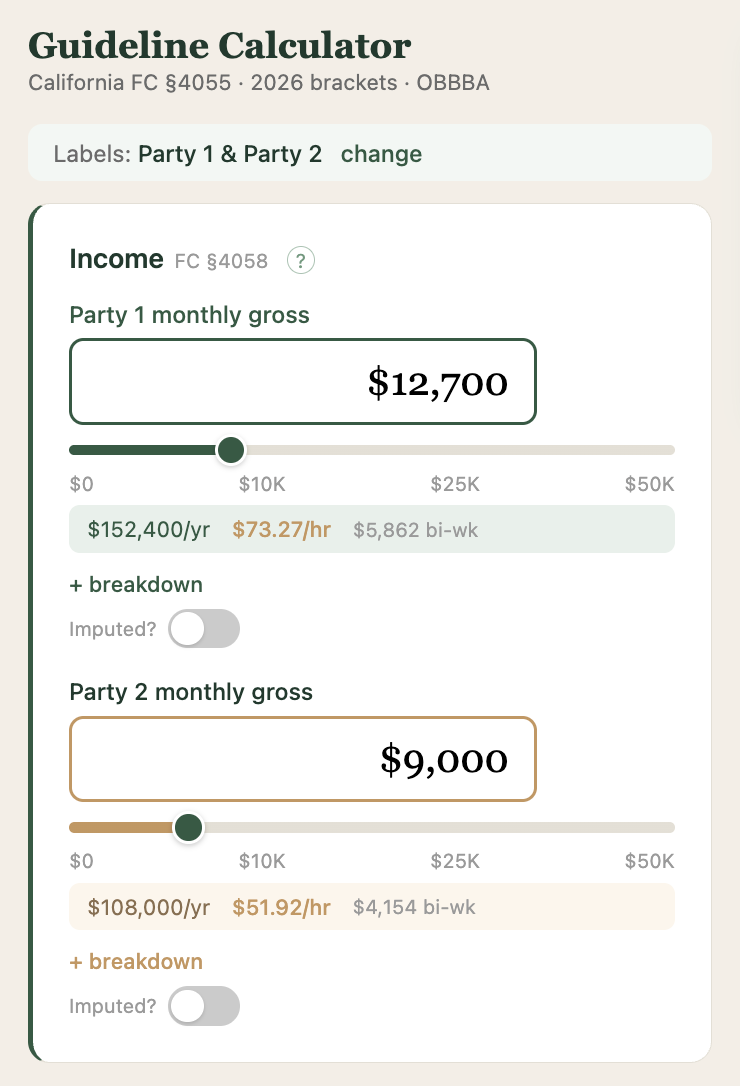
Start by entering the monthly gross income for each parent. Gross income means total income before taxes and deductions, including salary, wages, bonuses, commissions, and all other income as defined in FC §4058(a).
The calculator updates in real time as you type or drag the slider. Annual income, hourly rate, and bi-weekly pay are displayed automatically for reference.
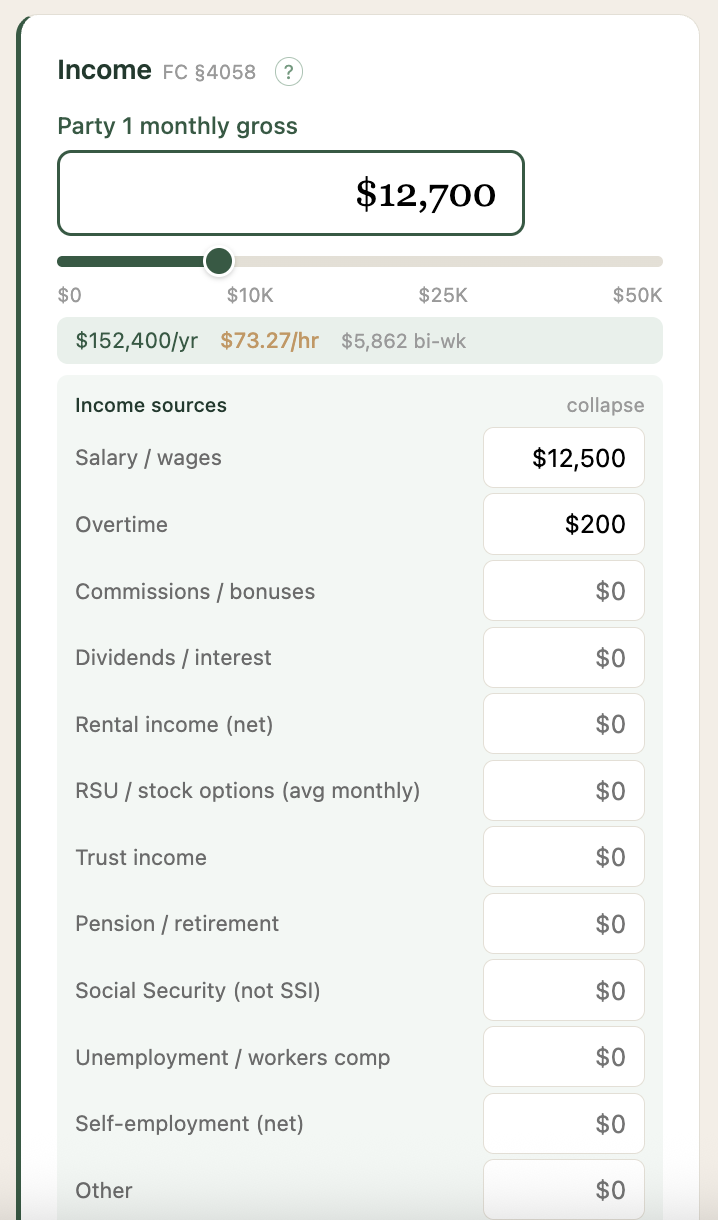
Click "+ breakdown" to itemize income sources such as salary, overtime, commissions, rental income, RSU vests, or self-employment income. The total is calculated automatically. This breakdown is included in the report.
Step 2: Set the parenting time (timeshare)
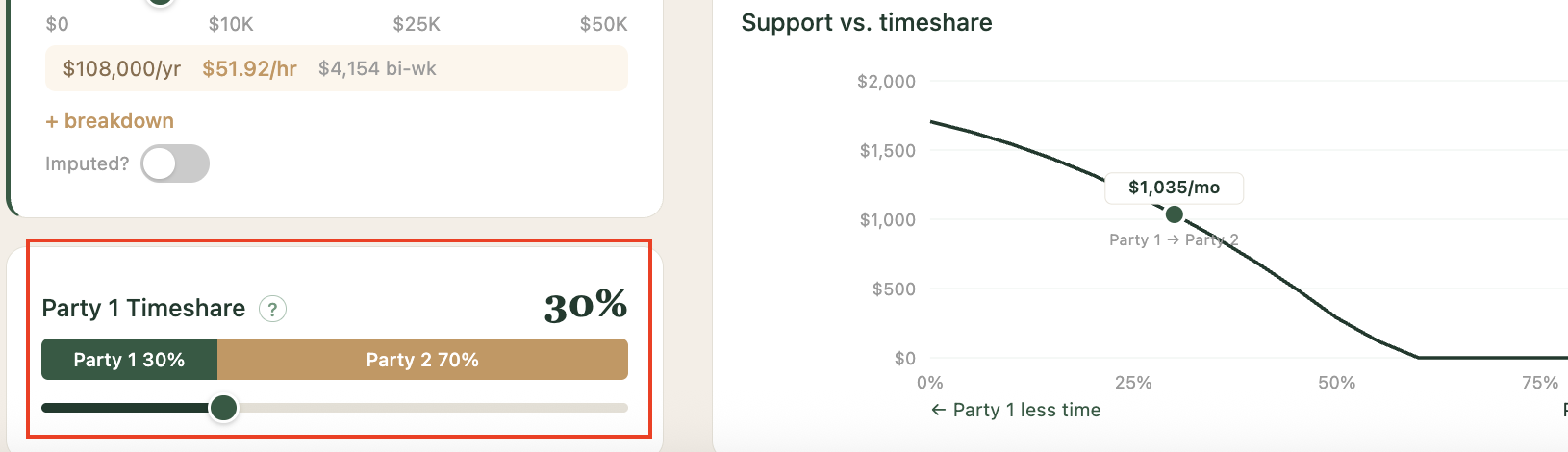
Drag the slider to set the percentage of time each parent has with the children. The parenting time split directly affects the guideline calculation. The support-vs-timeshare chart on the right updates instantly, showing how the support amount changes across the full range of custody arrangements for your specific income inputs.
Step 3: Review the result
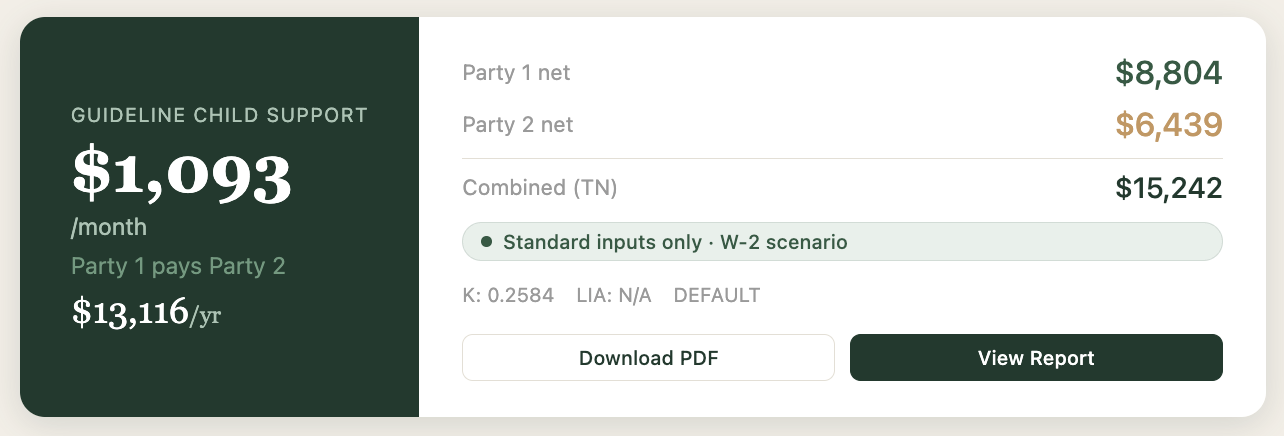
The result card shows the guideline child support amount, which parent pays, and each parent's net disposable income after taxes. This card stays pinned at the top of the screen as you scroll, so you always see how changes to inputs affect the number.
The confidence indicator shows whether the calculation uses standard inputs only (W-2 scenario) or includes modifications such as deductions, add-on expenses, or other adjustments.
Step 4: Refine with deductions (optional)
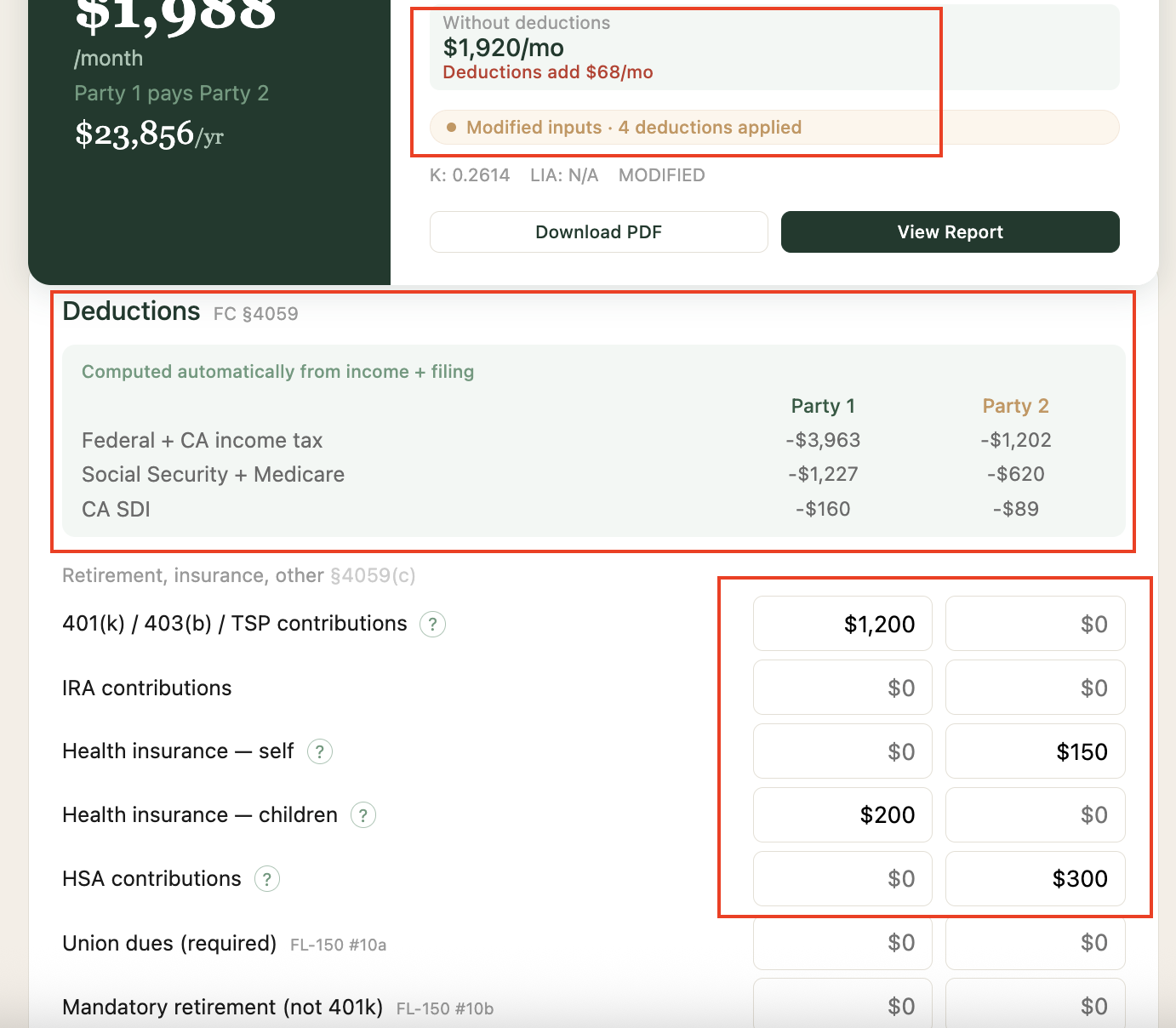
The initial result uses only income, parenting time, and standard tax deductions. To refine the estimate, click "Show advanced options" to enter deductions such as 401(k) contributions, health insurance premiums, HSA contributions, and existing support orders. (The screenshots below show a different sample scenario with higher incomes and two children to illustrate how deductions affect the result.)

The deductions section shows taxes computed automatically from income and filing status, followed by editable fields for each parent's voluntary deductions. Each deduction references the applicable Family Code section. The result card updates in real time as deductions are entered, and shows how the deductions changed the support amount compared to the base calculation.
Step 5: Review the formula breakdown
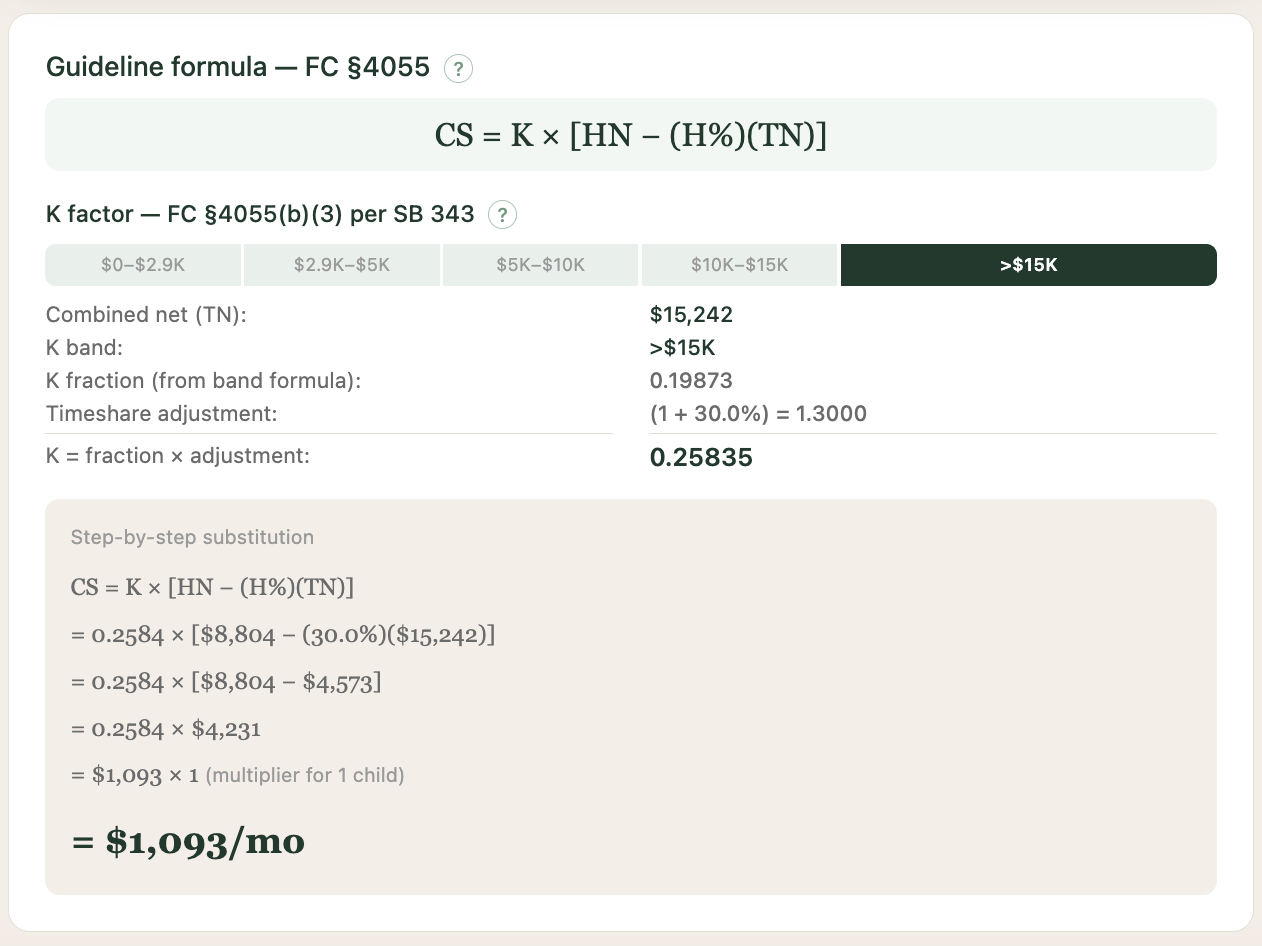
Every step of the FC §4055 calculation is shown. This includes the K factor computation (which income band applies, the K fraction, the parenting time adjustment), and a step-by-step algebraic substitution showing how the guideline amount is derived from the inputs.
Step 6: Explore what-if scenarios
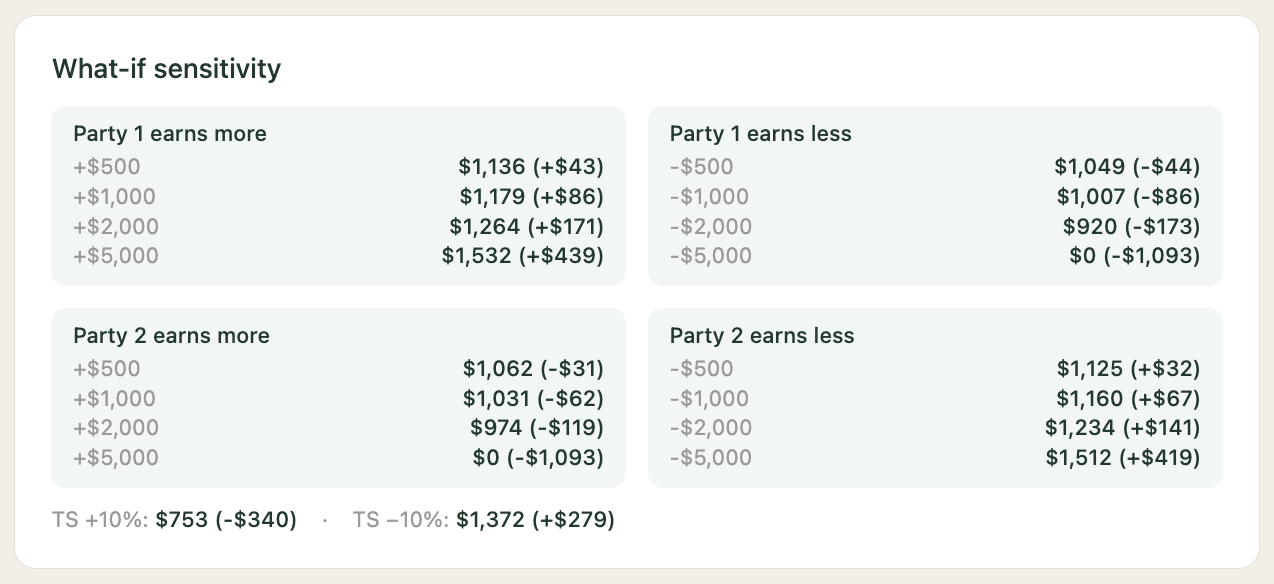
The sensitivity analysis shows how the support amount changes if either parent's income increases or decreases by $500, $1,000, $2,000, or $5,000. The parenting time sensitivity is also shown. This is useful for understanding the impact of a raise, a job loss, or a change in custody arrangement.
Step 7: View the support timeline
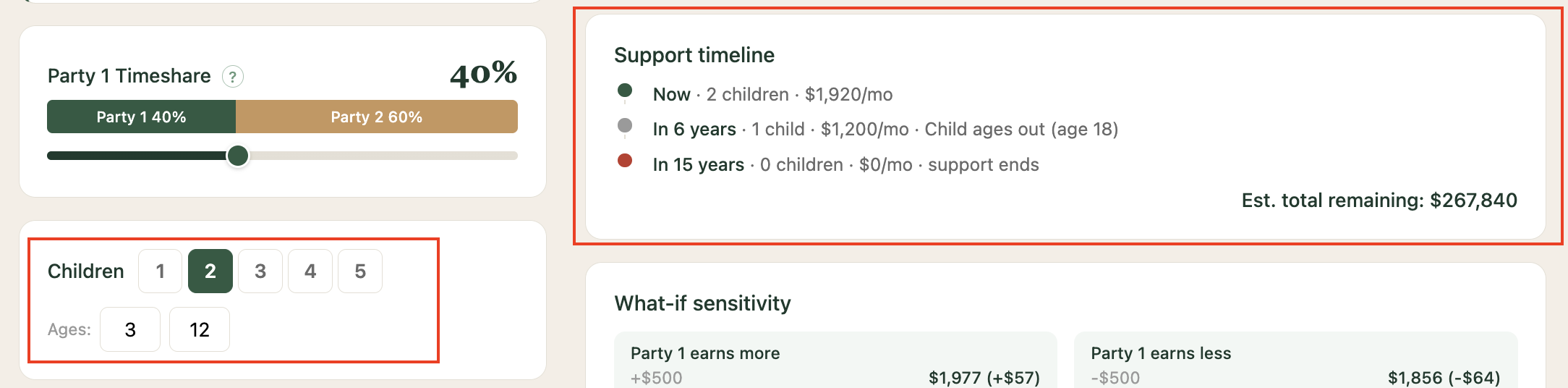
Enter the children's ages to see when support steps down and when it ends. Support terminates when each child turns 18 (or 19 if still in high school per FC §3901). For multiple children, the timeline shows each step-down event and the estimated total remaining obligation.
Step 8: Generate a report
Click "View Report" or "Download PDF" to generate a one-page report summarizing the calculation. The report includes both parents' income, all taxes and deductions, net disposable incomes, the full formula substitution, calculation settings, and the support timeline. Every number on the report is derived from the inputs you entered.
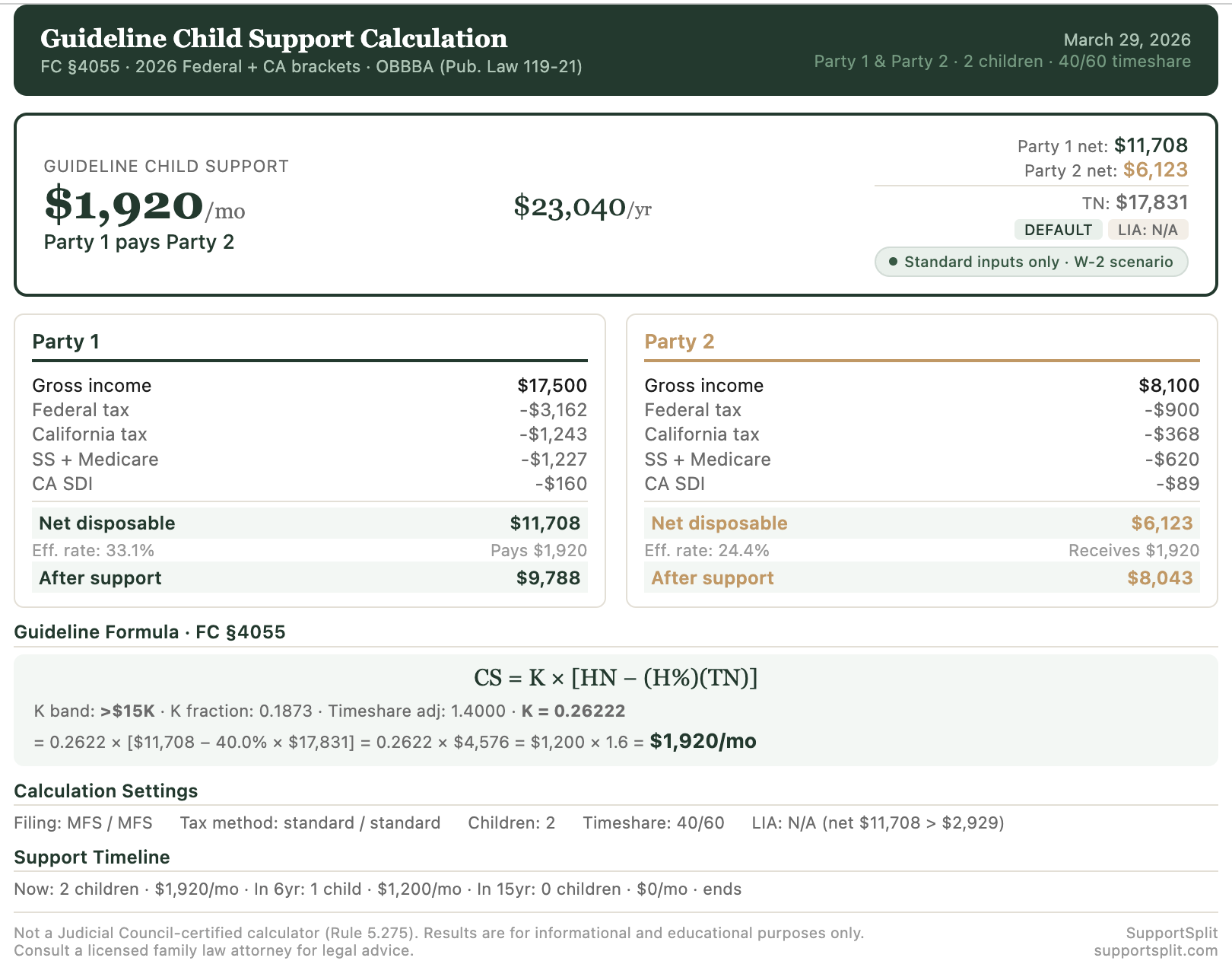
The report is generated in your browser. No data is transmitted to any server. The report includes the same disclaimer displayed on every page of the calculator.
Tips for specific situations
Preparing for a consultation with an attorney
Enter your income and your co-parent's income, set the parenting time, and generate a report. Bring the report to your consultation. It gives your attorney a starting point and saves time that would otherwise be spent explaining the formula from scratch.
Preparing for mediation
Run two or three scenarios with different parenting time splits (for example, 20%, 30%, and 50%). Compare the results to understand the range. The sensitivity analysis is particularly useful here because it shows how small changes in income or parenting time affect the number.
Reviewing a proposed settlement
Enter the terms being proposed (incomes, parenting time, number of children) and see what guideline support looks like for those inputs. If the proposed number is significantly above or below guideline, you can ask your attorney why.
Self-represented litigants
The calculator uses the same income categories as the FL-150 Income and Expense Declaration. If you have completed your FL-150, the numbers you entered there can be used directly in the calculator. The report is not a court filing, but it can help you verify the guideline number being presented at your hearing.